
Apple
macOS
Choose the Mac build that matches your chip before downloading.
Apple Silicon or Intel Mac
Select your Mac chip
Desktop download
Pick the installer that matches your machine. Windows downloads the current x64 installer directly. Mac users can choose Apple Silicon or Intel before the download starts. After install, you can import supported single-video URLs from YouTube, Facebook, Instagram, X into the same local library you search later.
New users can start with free access and default credits, so you can test search and Chat with Video on your own archive before paying for heavier AI usage.
Apple
Choose the Mac build that matches your chip before downloading.
Apple Silicon or Intel Mac
Select your Mac chip
Windows
Download the current Windows x64 desktop installer directly.
Windows x64
After install
TraceVid is not only for folders you already manage manually. The desktop app can pull supported single-video URLs into your chosen download folder so those videos can be indexed, searched, and reused alongside the rest of your footage.
Why it matters
You can bring reference videos into the app without reorganizing your whole drive first.
The imported file still lands in a local folder you control, not a forced cloud bucket.
Once downloaded, it becomes part of the same searchable TraceVid library as your existing archive.
Before you install
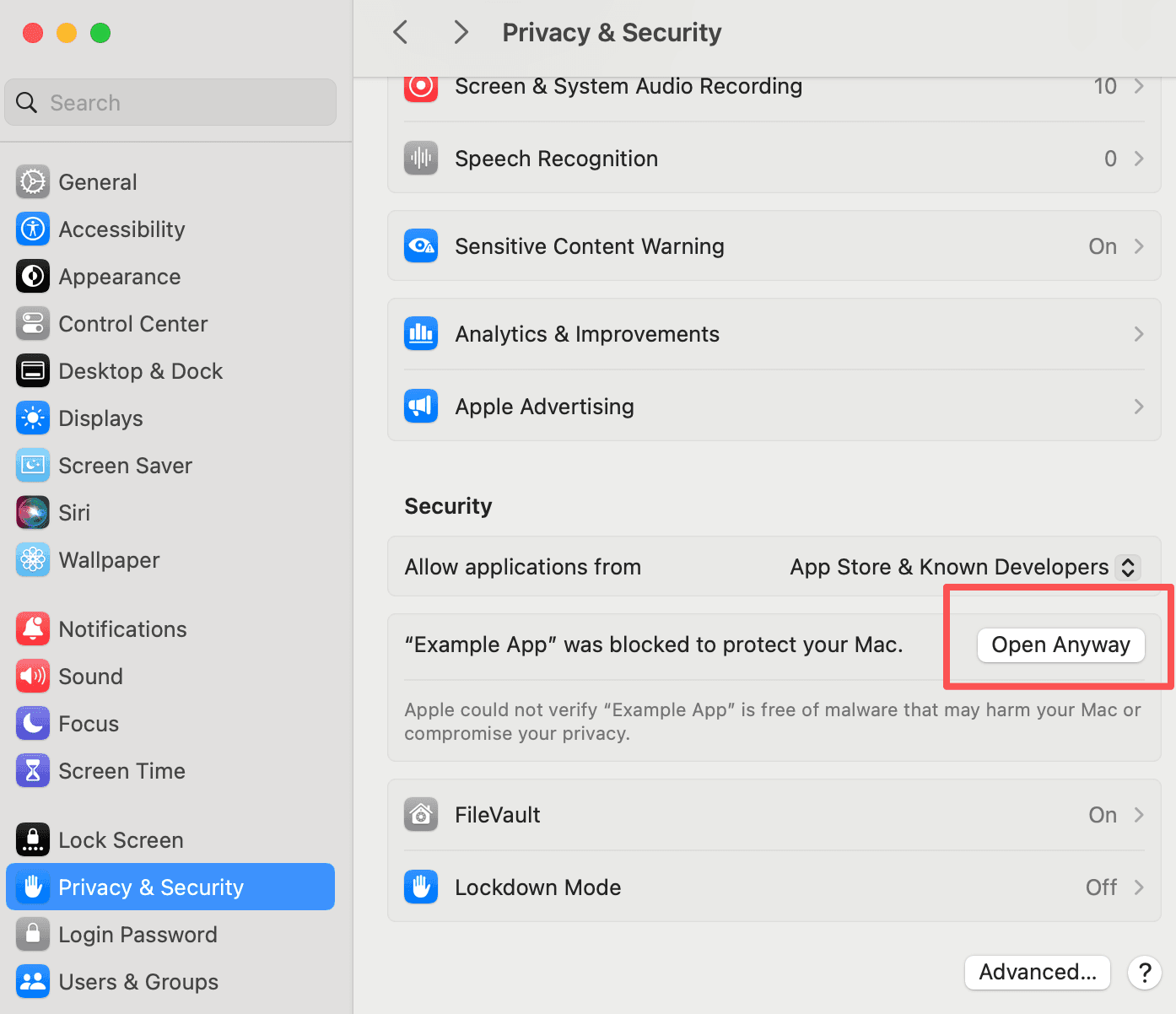
If macOS says TraceVid cannot be opened, this is the screen where you can allow it and launch again.
TraceVid is currently distributed outside the Mac App Store, so the first launch can require manual approval on macOS.
Which build fits
Apple Silicon: M1, M2, M3, and newer Macs.
Intel Mac: older Intel-based Macs.
Windows x64: most Intel and AMD Windows PCs.
Public desktop downloads currently cover Windows x64, macOS Intel, macOS Apple Silicon.